What was your real reason for caving and buying a Meta Quest?
Was it to sample the total immersion of Walkabout Mini Golf? To shed some pounds working up a sweat on Synth Riders or Beat Saber?
Maybe you wanted to beat the crap out of your mates in Thrill of the Fight?
Maybe.
Maybe…
But there was another reason, wasn’t there? 😉
There’s one particular use case for the Meta Quest that nobody says out loud when purchasing the device. Obviously, you wouldn’t dream of buying a VR headset just to sample virtual reality porn, right? Nobody does. But if the opportunity were to arise – just out of interest – what would be the best ways of consuming porn on a Meta Quest headset?
(For a friend, of course...)
Four Types of Adult Content on the Meta Quest
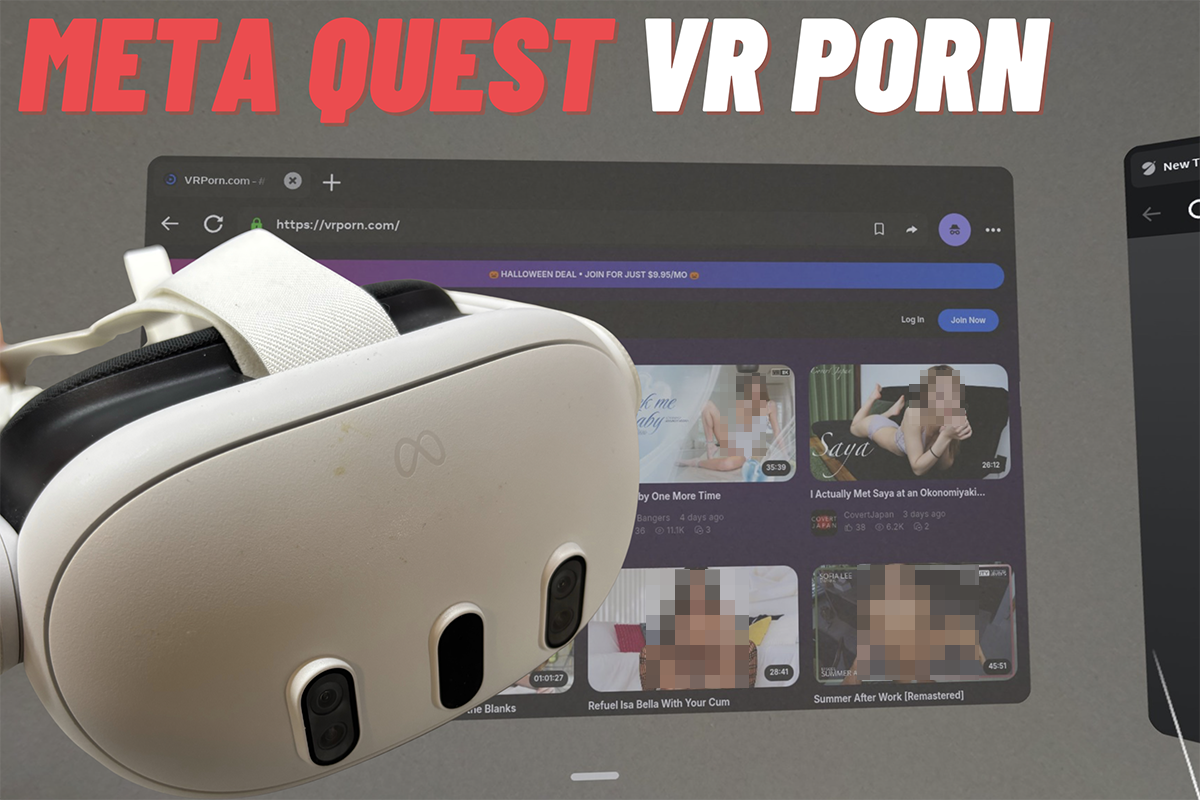
We’ve been covering the VR porn industry on AdultVisor for several years now.
Our coverage takes in the studios shooting VR scenes, the live cam business, adult games and the experiments with AR and mixed reality. There’s plenty to get excited about, but also plenty of terminology that needs unpicking if you are new to this space.
So, what are the different types of adult/NSFW experiences that “your friend” might want to explore?
The first is ordinary video on a big ol’ virtual screen. This isn’t VR porn, as such… it’s just the porn viewing experience as if it were built for the big screen. It’s also the simplest way to experience Meta Quest porn. You just find a normal 2D clip, play it in the Quest’s browser or a player app, and the action will be floating in front of you like a cinema screen in an empty room.
While the scene looks bigger. It doesn’t look any more three-dimensional than it does on your laptop.
The second is proper stereoscopic VR video. Probably a lot closer to what you had in mind. This is filmed with a twin-lens camera, so each eye gets its own slightly different picture and your brain does the rest.
The performer appears at a believable distance and roughly life-size, and you can look around within the frame. Most of it is shot in 180 degrees rather than 360… and there’s a good reason why 180° won that fight, which I’ve been banging on about for a while.
For most people reading this guide, stereoscopic VR will be the first point of entry to adult VR. And it’s the medium around which most VR porn content is designed.
The third form factor (and growing fast) is passthrough, which Meta calls “mixed reality”. This is a particularly immersive format where the headset’s cameras show you your own room, and the performer is placed into it with the background removed. So, in effect, you can watch a porno in your own home office.
The fourth format is interactive content: and this comes in many shapes and sizes, from branching scenes where you pick what happens next, to full games, and scenes scripted to drive a connected toy.
I generally would not recommend jumping to interactive content if you’ve only just unwrapped your Meta Quest.
Most people are looking for a smooth ‘entry point’, and thankfully, there are some good options that are designed to provide just that…
How To Watch VR Porn On A Quest
The first and most important step is to ensure… the coast is clear.
Nobody wants to be caught with their headset on and their pants down. I’m going to assume you’ve taken the necessary precautions before accidentally landing a work colleague or family member with PTSD.
Ultimately, there are two access points for watching VR porn.
The Quest Browser is the easiest way in, and needs nothing installed, but a player app gives you more control.
VR Porn In The Quest Browser
Open the Meta Quest Browser, head to the VR porn site of your choice, and you’re about 30 seconds away from finding out whether this was all worth the money.
The good news is that many of the top VR studios and tube sites can now detect a Quest the moment it lands on the site. Hit play on a scene and you should spot a little VR goggles icon (or a “Watch in VR” button) that appears in the corner of the player.
Tap it, and sit back as the page dissolves around you – to be replaced with the VR scene.
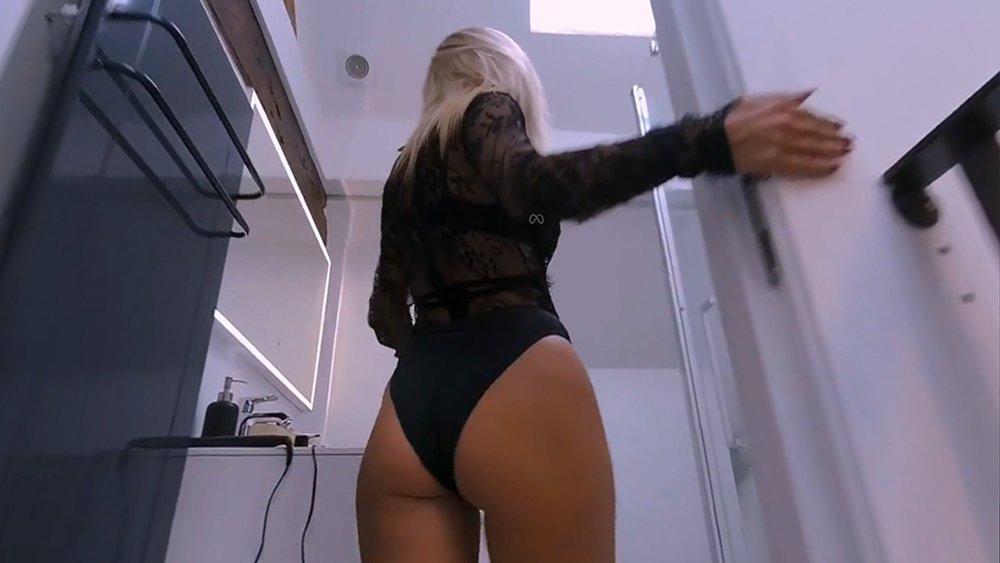
This is called WebXR, and you don’t technically need to install anything.
In instances where the site doesn’t detect your headset automatically you will likely see two side-by-side images squashed onto a flat screen. If this happens, look for a format or projection menu in the player and then pick 180° SBS. This will cover the vast majority of VR scenes on the major portals.
(Oh, and if the leading lady looks like she’s been stretched across a fishbowl…. it means you’ve picked 360 by mistake. Check the scene settings!)
The browser is still the easiest way to sample VR porn in the wild. A lot of VR sites play their 180 and 360 trailers right there, and our free VR porn guide will keep you busy before you spend a penny.
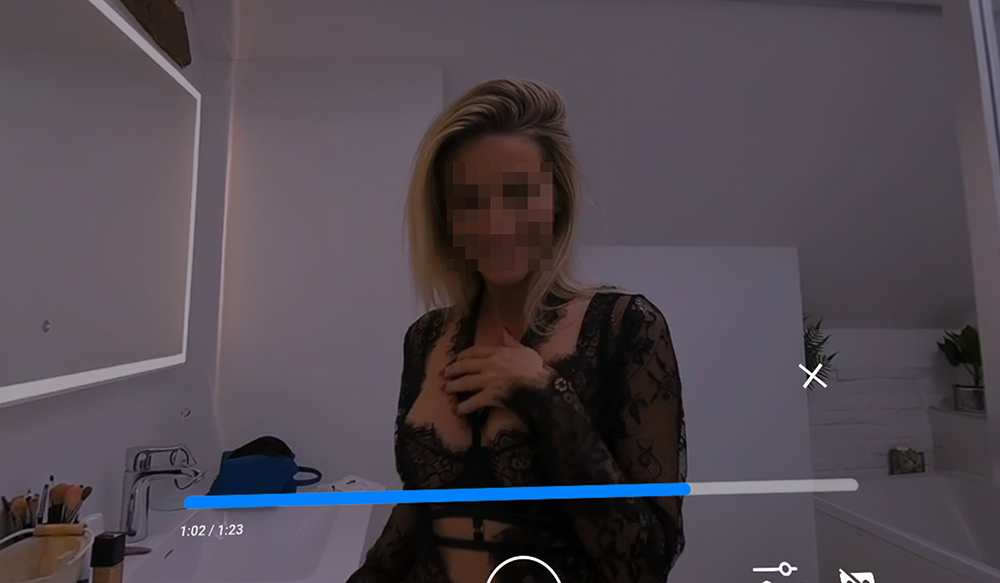
Keep in mind, however, the browser is not necessarily the optimal setup.
You’ll find that the streaming quality is often capped below what the scene was actually shot at, which is a trade-off that the studios make to ensure the files run semi-smoothly on weaker Internet connections.
The controls are rather primitive, too: no zoom, no height adjustment, and you can’t manually alter how the image lands in front of your face.
The other factor to keep in mind when viewing VR porn via a browser is that – if your device is shared – there will be a necessary ‘clean up’ operation to hide what you’ve been perving on.
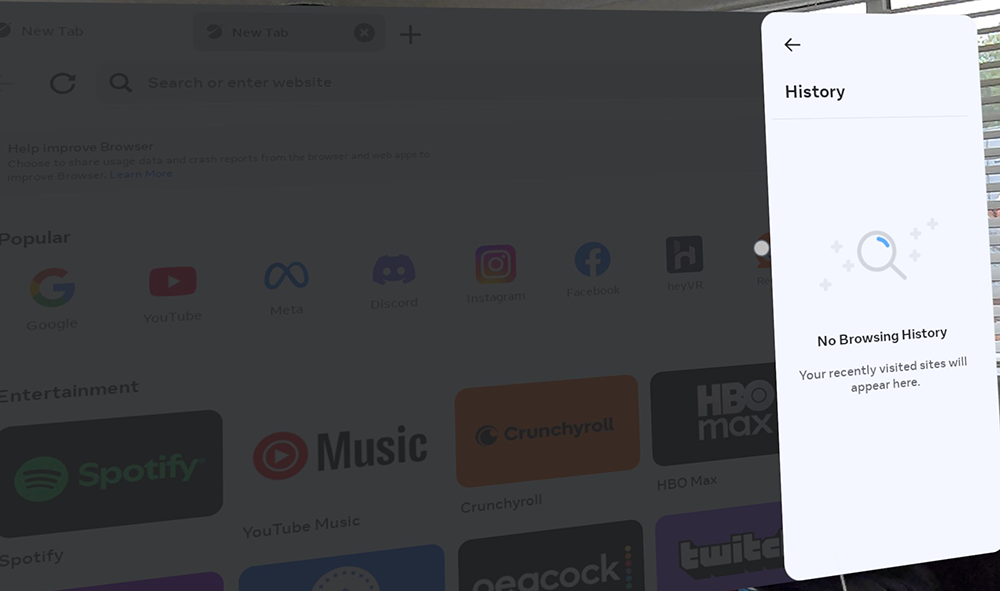
Yes, the Quest Browser keeps a history – just like any other browser. It’s your responsibility to wipe it when you’re done…. or use a private/incognito window where possible.
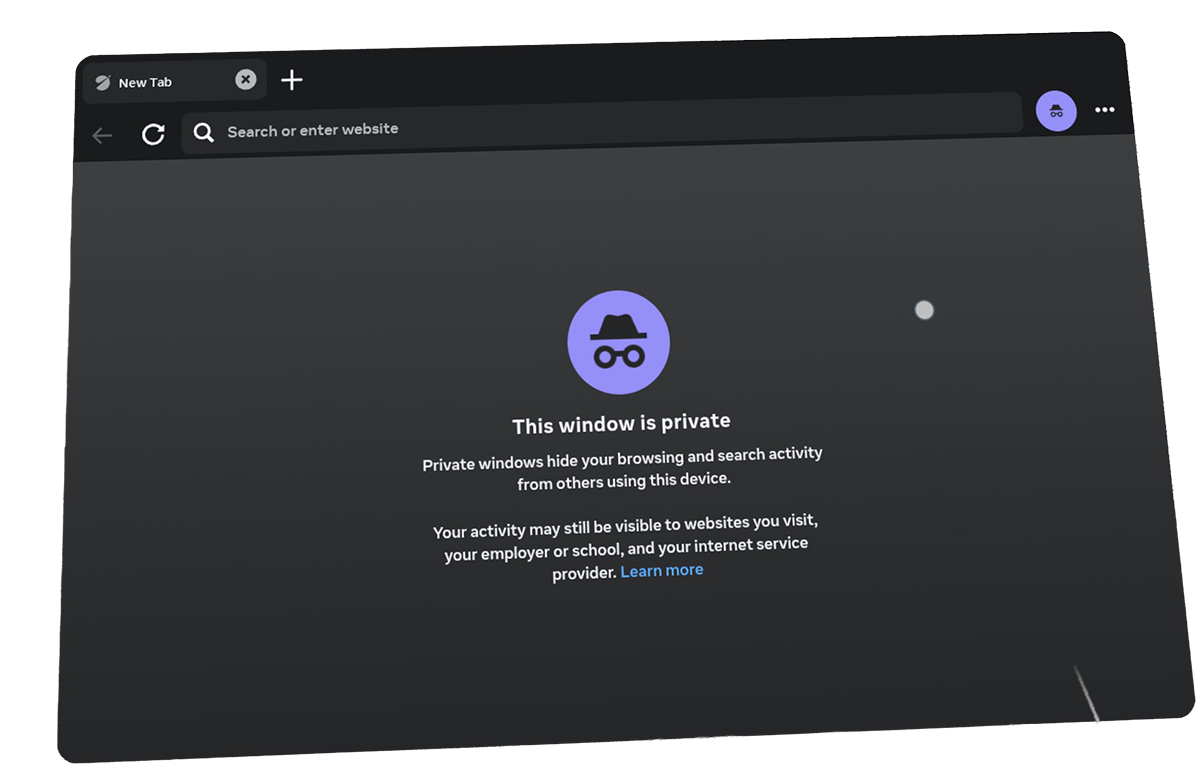
Incognito is fine for random trailers, but a bit of a PITA if you have to constantly log back in to your preferred viewing hubs.
Either way, you do NOT want the next user to be automatically reopening your last tab.
When that distant uncle pops around and you decide to ‘demo’ the tech, the VRPorn.com homepage makes for a really untimely first impression. And a really awkward dining table...
VR Porn In An App
If you’ve tried and enjoyed VR porn, it won’t be long until you look for ways to improve the viewing experience. Or at least, to make it more convenient.
One of the easiest ways to do this with Oculus/Meta Quest is to use a dedicated app.
Of course, Meta doesn’t actually allow porn apps in its store. Obviously. But it does allow general-purpose video players… and these just so happen to be very good at playing 180° VR video.
There are some popular choices out there that work very nicely with adult VR content:
DeoVR is free, easy to use and built with adult VR firmly in mind. It actually plugs into many of the prominent studio sites, meaning you can browse and stream comfortably from inside the app. It also handles passthrough scenes too. I’d recommend you start here.
PLAY’A VR is another good option, which integrates nicely VRPorn.com – one of the leading content aggregators in the space. It handles 180° and 360° video up to 8K, with a nice passthrough mode for mixed reality scenes.
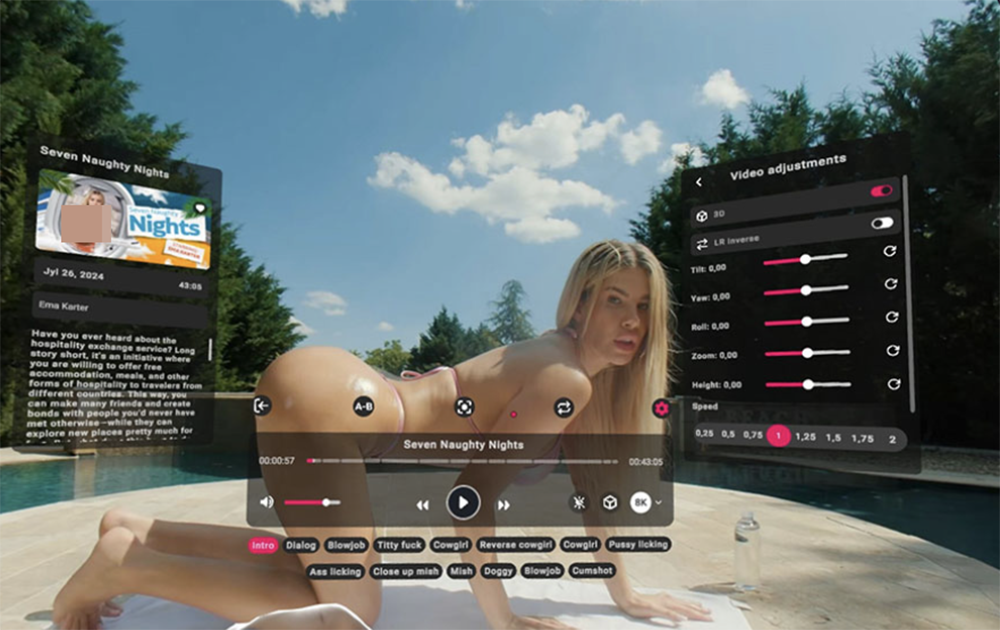
Appealing to “power users”, HereSphere is a popular advanced option which gives you much more control under the hood. We’re talking granular fine-tuning for: image height, zoom, tilt, lens distortion correcting, and even support for scripts that work with synced toys.
It’s good but fiddly – certainly not the most consumer-friendly starting point.
SexLikeReal has its own app which is worth a look if you’ve subscribed there (or plan to). It’s built around their library and works nicely with their growing collection of passthrough content.
Elsewhere, Skybox VR and 4XVR are other decent general media players. Both work fine for playing files you’ve downloaded, but they’re not as integrated as the options above.
Is it worth switching from browser to app-based viewing?
From my experience, hell yes.
It’s not something I’d worry about on Day One. But if you like the content… and chances are, you WILL like the content… you’ll naturally gravitate towards the more intuitive user experience.
Playing Files You’ve Downloaded
Streaming is convenient… yes, but VR videos are absolutely massive. A few of these can rinse the space on your brand new Quest in rapid time.
And the streaming process itself is not the best way to consume video content in VR.
Case in point, let’s look at the latest release on Virtual Real Porn – After The Film starring Melody Marks.
This 33-minute feature clocks in at over 12.37 GB if you watch it in the full 8K glory.
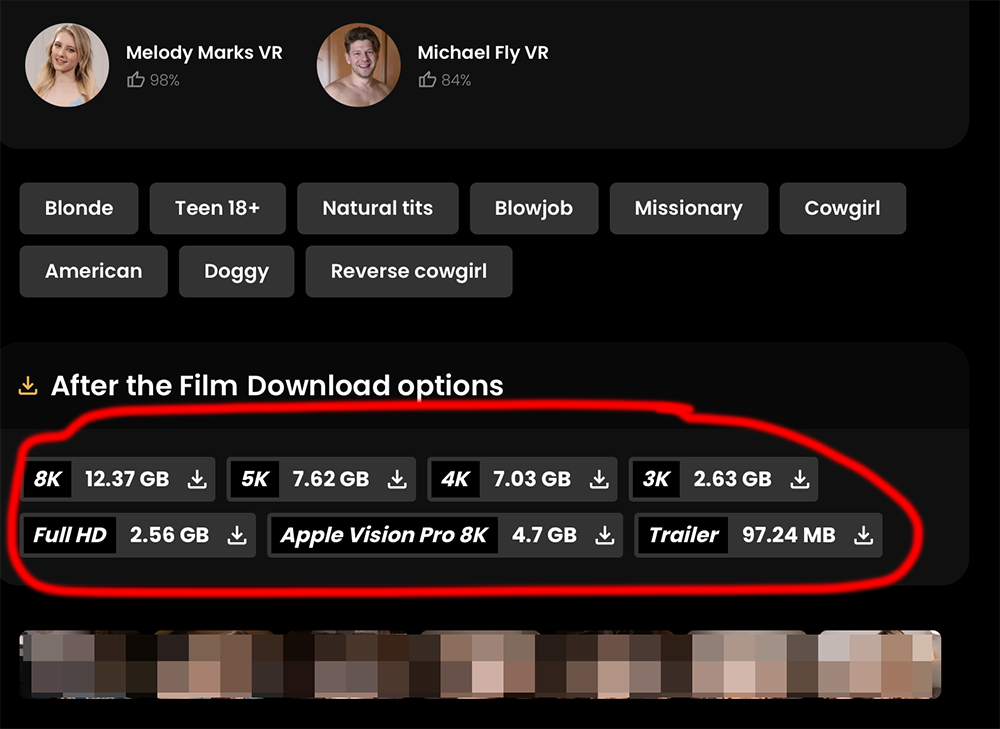
If you’re streaming such a large file… in 8K… you probably care about the fidelity of what you’re watching.
So you’re either going to need a really fast Internet connection, or the patience to download it first instead.
Downloading costs you storage, yes, but in return you get the full bitrate with no buffering at the worst possible moment… the trade-off is something we’ve covered extensively in our streaming vs downloading guide.
Where To Watch VR Porn
The short answer here is that you should check our VR porn site rankings for the latest recommendations.
Before we get stuck in, though, one distinction worth understanding is this: there are two types of ‘premium’ VR porn packages.
You have the Studios, who shoot their own scenes. And you have the Aggregators (or networks), who license scenes from many different studios and bundle them into one subscription. If we had to pick, the studios usually win out on consistency and overall production quality. But the aggregators cannot be touched for sheer volume of content.
Which should you choose?
It depends if you’re a connoisseur or a grazer.
Best Overall: VR Bangers
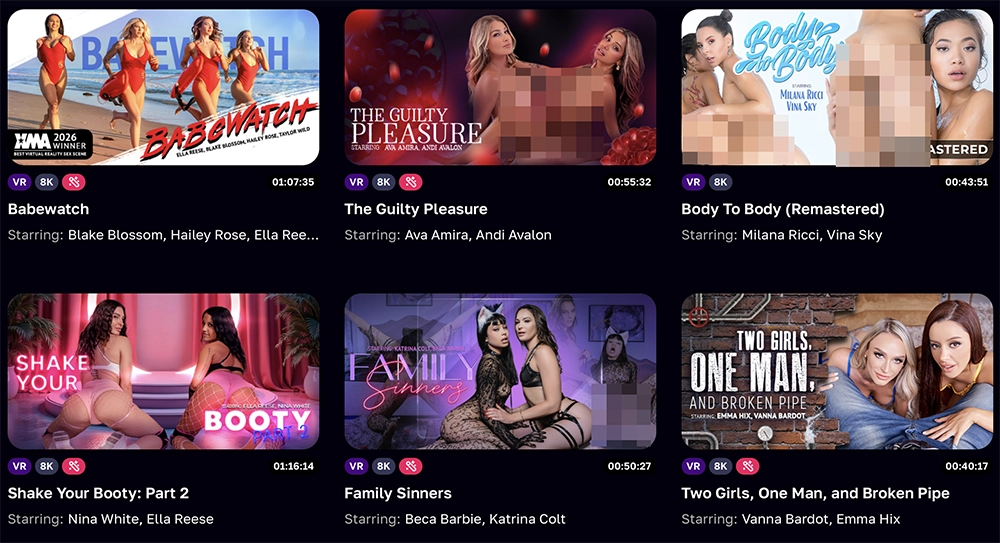
VR Bangers still sits at the top of our pile – it’s our number one VR porn pick, and it’s the studio I’d point a new Quest owner towards first. You know what you’re going to get here. Red hot quality.
At the time of writing, they have over 800+ scenes, with 8K and 12K options on the newer releases. The production values are famously high, and a stack of XBIZ and AVN awards backs that up.
As a nice little extra, the subscription also gets you access to Dezyred, their interactive game, which we’ve previously covered – it’s like a choose your own adventure porno flick… in VR.
VRB has regular sales, but usually costs $19.95/month, $83.40/year, or $250 for lifetime fappery.
Best Network Pass: VRPorn.com
If you’d rather have everything in one place, with a single aggregator sub, VRPorn.com is my favourite network pass. It also has a ton of trailers you can sample for free…
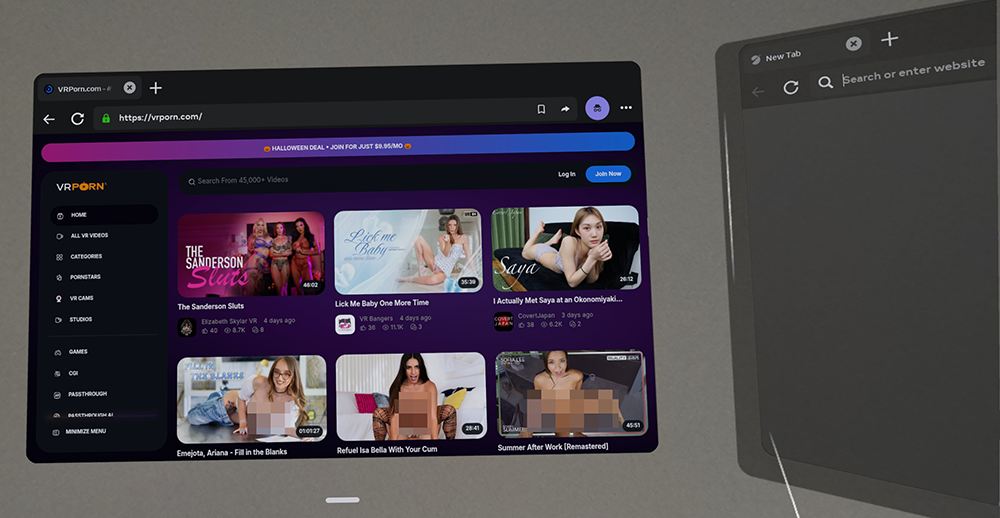
All in, you get something like 45,000+ scenes from 380+ studios, plus games, toy-sync scripts and a bunch of new CGI content.
Download speeds were patchy in my recent testing (averaging around 65 Mb/s, and not consistently), but it’s hard to knock the overall package.
VRP costs $24.95/month, $95.54/year, or $299.95 for lifetime access.
They do offer regular promos though. As you can see (above) when I visited on my Quest – they were running a Halloween special for just $9.95/month.
Best Budget Pick: Virtual Real Porn
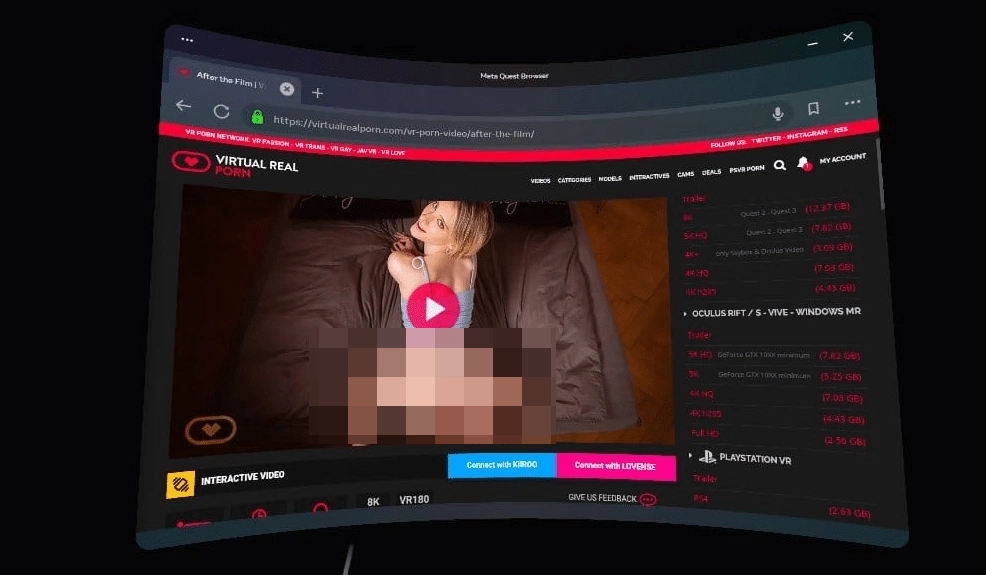
Remember our friend Melody Marks and her 12GB After The Film scene?
That came from Virtual Real Porn, which was one of the pioneering European studios. It’s still highly revenant today, and remains one of the cheapest ways to get proper studio-quality on your Quest/Oculus.
At my last count, there were 1,100+ original scenes, all shot in-house, minus the typical aggregator padding – and with no download caps.
You won’t find many big names in their content. But if you’re happy with European talent and just want a great value VR sub, this should be on your radar.
It’s currently priced at $12.99/month, $89.88/year, or $199 lifetime – by far the cheapest lifetime deal of the major sites.
Live VR Cams
Pre-recorded VR scenes are one thing. But what if you want somebody who can actually respond to you while you’re strapped into your Quest?
Yes, the Meta Quest can be used for watching live VR cams – and they offer a completely different viewing experience.
On the surface, these streams work much like the cam sites you already know: free public chat, tipping, and paid private shows. But the model is broadcasting from a very different setup, with two cameras side by side… so you can enjoy the same stereoscopic 3D effect as you would in a porn video.
And it’s all happening live.
Now, to be honest, I don’t recommend a two-way live VR camming experience as a first venture into NSFW VR. There are certainly easier ways to test the waters.
But if you’re determined to go there, here’s where I’d point the Quest:
StripChat
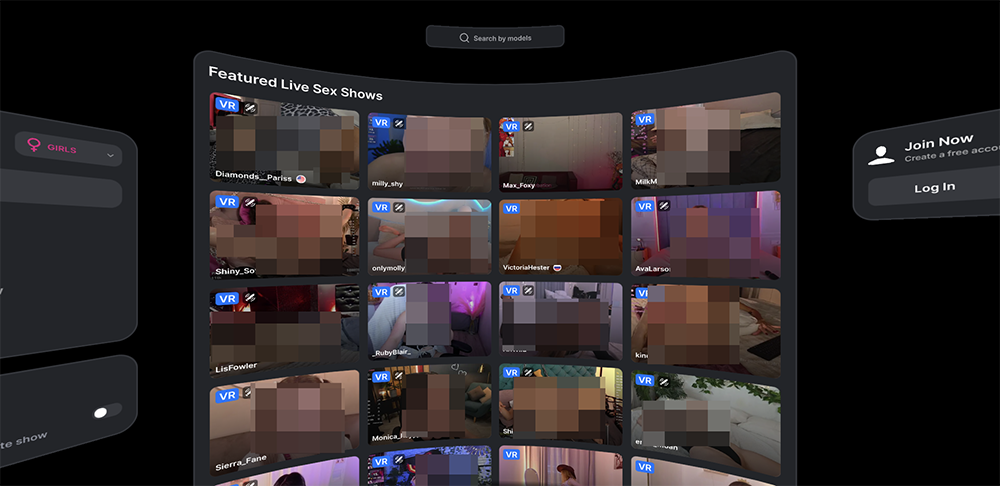
StripChat is the world’s fastest growing cam site, and it’s also the platform with the most prominent VR selection. It has a dedicated VR homepage which works great on the Quest (vr.stripchat.com). Across the smattering of live thumbnails, you’ll find around 120-220 models live at any given time.
One particular stand-out attraction is their themed “box office” broadcasts: two-hour VR events with pornstars and influencers.
SexLikeReal
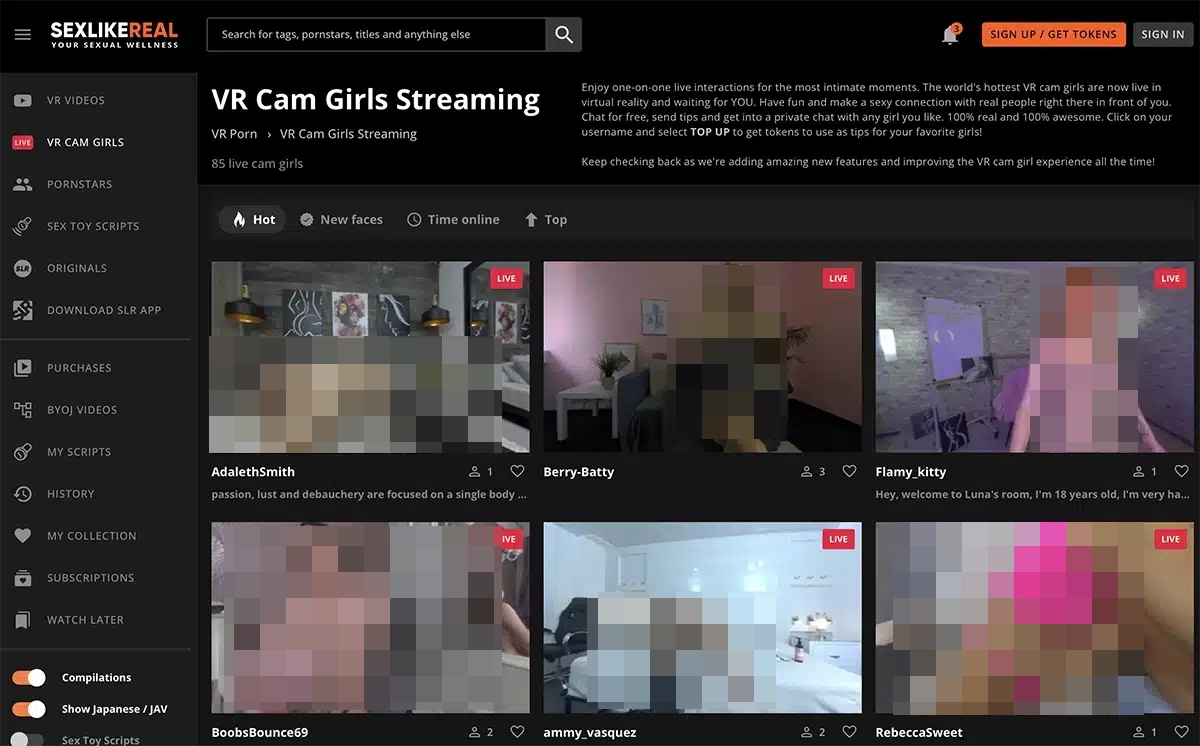
Yes, it’s back again.
If you’ve already subscribed to SLR for the mahoosive VR porn library, the cams are just another welcome sideshow. There are now hundreds of them online (provided by a partnership with DreamCam), and the SLR app lets you flick easily between the cams and the scene library without leaving your headset.
There’s even some passthrough cams thrown in for good measure.
Not familiar with passthrough?
Passthrough On A Quest
For all the hype around virtual reality as a medium, passthrough is fast becoming the format that everyone in the VR porn business is getting excited about.
With normal VR porn, the headset replaces your surroundings – so you’re effectively teleported to some sun-drenched Porn Valley villa ,or a dodgy Prague apartment…
Passthrough has the opposite effect.
While wearing the headset, your room stays exactly where it is… and the performer is dropped into it.
She’s on your sofa. On your office desk. In your bed.
She may well be getting her tits out next to Fido, the family cockapoo, if you’ve done a particularly bad job of securing your viewing space.
Passthrough needs colour cameras, so in practice a Quest 3 or 3S is required, or the Quest Pro. A Quest 2 shows passthrough in greyscale, which rather defeats the point.
Passthrough scenes are shot like typical stereoscopic VR, but they have their backgrounds removed, normally by filming against a green screen (or swiping it out using software afterwards). What’s left is the performer and a transparency layer (known as the alpha channel) that tells your headset which pixels to show and which to ignore.
It’s pretty smart, and it results in a performer sharing your private space.
To get this working on the Quest, you’ll need a player app that supports the tech. As we mentioned, DeoVR, PLAY’A, HereSphere and the SexLikeReal app are all capable of handling passthrough scenes. Some will switch into passthrough mode by default when you load a passthrough scene. Others need to be toggled.
If you try to watch passthrough porn without a suitable viewing port, you won’t see your actual environment in the video. Just a cut out of the model and a (usually) grey lifeless background.
Fun fact: It took me a whole week before I worked out I was doing it wrong. 😂
The passthrough library is still a lot smaller than standard VR, but it’s growing. POVR, VRPorn.com, Czech AR and BrainDance VR all have great material to sink your teeth into.
BrainDance VR has some particularly wild examples using a tech known as volumetric capture to provide six degrees of freedom – it means you can literally weave your head in and around the performer… and the camera will follow.
(It’s probably the most strangely erotic experience I’ve had with my Meta Quest 3 to date!)
VR Porn Games On A Quest
Everything we’ve covered so far has one thing in common: you’re watching.
In the case of live cams, you might be chatting back with some flirty bangers in the live text… but the main event is still whatever is right in front of you.
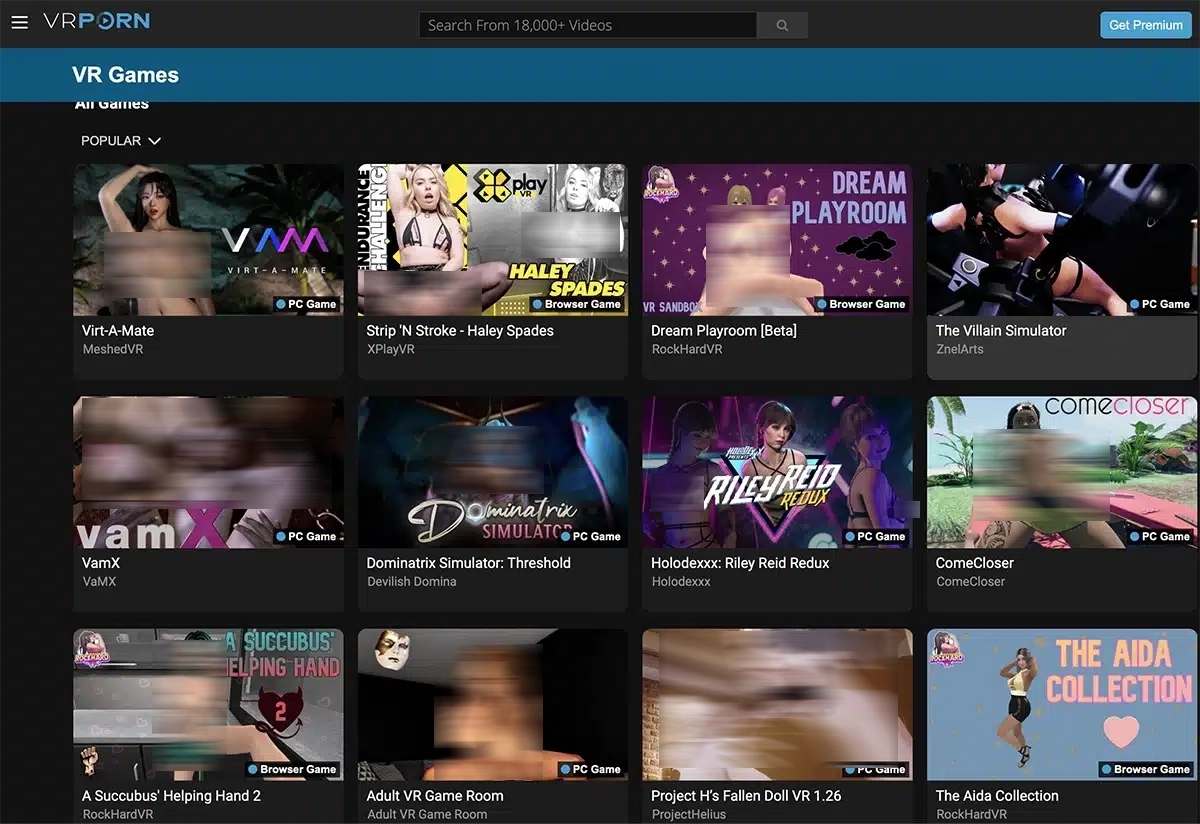
VR porn games are a different category altogether. There are some increasingly sophisticated porn games that you can play on your headset with a Meta Quest; and some of these go way beyond a porn scene in terms of the interaction offered.
(There are also dozens of ham-fisted efforts that are a complete waste of time.)
Our games editor Mike has already published the VR games worth your time, so I’d start there if you’re looking to pair the Quest with some decent adult titles.
One important thing to understand is that your Quest can run games in two completely different ways.
The first and most convenient is Standalone – which means the game runs on the headset itself, no trailing cables and no computer connection required. While convenient, we have to remember that the Quest is basically a souped-up phone… so your expectations of top notch graphics should be adjusted accordingly.
A game that is tagged PC VR means that it runs on a gaming PC, and the Quest acts as the screen only… it’s one job is to stream the picture to your face – a kind of lewd external display.
You can do this with a USB cable (Meta’s Link), wirelessly over your home network (Air Link, Steam Link or Virtual Desktop), and the graphics will look much better.
This is not to say that you need an expensive gaming rig to enjoy VR porn games. Your Quest is capable of handling many simple games, particularly those found on VRPorn.com (which has the best starting library).
It’s just not to be confused with a true PC VR gaming setup.
What Your Quest Model Means For Porn
Meta only sells the Quest 3 and 3S now.
The Quest 2 and Quest Pro were wound down in late 2024, but there are an awful lot of them still strapped to faces, so let’s address the key differences.
| Model | Per-eye resolution | Passthrough | Storage | Lens spacing (IPD) |
|---|---|---|---|---|
| Quest 3 | 2,064 x 2,208 | Full colour, depth sensor | 512GB | Continuous |
| Quest 3S | 1,832 x 1,920 | Full colour | 128GB or 256GB | Three presets (58, 63, 68mm) |
| Quest Pro (discontinued) | 1,800 x 1,920 | Full colour | 256GB | Continuous, 55 to 75mm |
| Quest 2 (discontinued) | 1,832 x 1,920 | Black and white | 64GB or 256GB at launch, later 128GB or 256GB | Three presets (58, 63, 68mm) |
Resolution is the first thing you’d notice between generations of models…
The Quest 3 has about 30 percent more pixels per eye than the 3S, according to Meta, and high-resolution scenes are where that really shines through.
The headset can only show what its screens can, so past a point a bigger file just means a bigger download with no discernible performance jump.
If you want to enjoy passthrough porn, in full colour, as it’s meant to be enjoyed, you’ll need a Quest 3 or a Quest Pro.
Common Meta Quest Issues
Loaded up the Quest… but can’t get all that porn to work for your mate?!
Don’t panic, and don’t cancel that subscription just yet! 😉
Most often, the culprit is the headset or the player settings, not the video itself.
“It’s Blurry”
Start with the headset before you blame the video. The lenses have a sweet spot, so loosen the strap, shift the headset up or down until the menu text looks sharpest, then tighten it again.
The first time I entered SexLikeReal, I could barely spot the difference between Blake Blossom’s nipples and her nose. Nothing to do with SLR though. The strap on my headset had loosened (from a particularly brutal Bodycombat workout) and – as you’ll quickly learn – nothing ruins a VR viewing experience like the combination of sweat, steam and blur. Clean and tighten – and away you go!
Make sure you set your lens spacing, too. It’s a physical adjustment on the headset, not a menu slider. Meta’s guidance for headsets with three presets is setting 1 if your IPD is 61mm or under, 2 for 61 to 66mm, and 3 for 66mm or more.
You can usually tell if the video is at fault for blurriness.
If the menus are sharp and the video still isn’t, chances are the file or stream is low resolution… or the stream has quietly dropped its quality to cope with your connection.
“Everything’s The Wrong Size!”
This is a common complaint.
In another of the first VR scenes I loaded, I felt like I’d been born again as Hailey Rose’s baby, cradled into her delicious bosom… her face looming over me at impossible closeness.
“How the hell am I going to get off to this?“
“Why are you looking at me so weird, mummy?”
I took the headset off and looked in the bathroom mirror – and could see my facial features scrunched up as if awaiting a clip around the ear.
Not the best start.
Friends I’ve spoken to about “first VR porn experiences” (after several pints) talk of horrific close-ups and their VR dicks hanging out of their chests.
A performer who looks like a giant (or a doll) usually means the player is treating the video as the wrong format. A 180 video played as 360 stretches everything, and fisheye footage played as standard 180 warps it completely.
Go back, check the video format and ensure you’re dealing with the right file.
If it still doesn’t work? Forget about it and move on. There’s plenty more VR porn in the sea.
“I’m Seeing Double!”
Two side-by-side or stacked copies of the same picture means the player hasn’t clocked that the file is stereoscopic.
To fix this, you can switch the 3D setting to side-by-side (SBS) or top-bottom (TB, sometimes called over-under) to match the file.
“It Keeps Buffering”
Buffer is a bandwidth problem and the same rules apply as they would to any other buffering video.
Wait for the file to resolve…. or cut your losses and download it in full to be enjoyed later.
A VR video carries far more data than a normal clip. You might try moving closer to the router (if you have the freedom of the house), or making sure the Quest is on the 5GHz band.
Another option is to drop the stream quality down a notch.
“It Stutters, Crashes Or Won’t Play”
Could be a bad file, could be the connection to the site itself…
Before going any further, exit the video and try another video on the same site. Does it load fine? If yes, the video was the problem.
(One of the things you’ll notice when consuming porn through the Quest is that your experience really does vary between videos. It’s nowhere near as predictable as doom-scrolling through Pornhub.)
If all videos are stuttering… there’s a good chance you’ve overloaded the Quest.
Close the app and reopen it, then restart the headset. Check for updates to both the headset software and the player (an out-of-date app is much more likely to crash).
“It’s At An Awkward Angle”
Yes, those initial experiences with the Meta Quest can contain as many fumbles as a virgin’s first missionary.
If the scene is tilted, off to one side or hovering at ceiling height…recentre.
Just point your controller straight ahead and hold the Meta button until the view resets… or choose Reset view in Quick controls. Or just whip the headset off and put it back on.
As a golden rule: get comfortable first, then recentre.
The headset sets the middle of the scene to wherever you happen to be looking.
Keeping Activity Private On A Shared Headset
Finally, before you embark on your first dirty adventure…
Let’s keep in mind: a Meta Quest is very often a household device.
It gets passed to the kids on a rainy Sunday. Your other half borrows it for a fitness app. Your mate wants to have a crack at that Golf+ after a couple of beers…
The trusty Quest remembers a whole lot more about what you’ve been up to than you might think.
So let’s make sure your secrets stay secret…
Set Up Separate Profiles
If anyone else uses your headset, do this first!!
Seriously.
Do it before anything else in this guide.
Meta lets you add up to three extra profiles on one headset, each linked to its own Meta account. Every profile keeps its own app progress, media files, saved passwords, payment details and in-app settings, and the other profiles can’t see any of it.
Each profile can have its own passcode too.
I understand that creating a separate profile is, by itself, an act of suspicion, in some households. “So, dear husband, why do you need your own profile, huh? What are you watching in there?”
But, on balance, it’s much easier to keep your dirty shenanigans away from other Quest users when they’re tucked in a contained profile.
There is one small catch. The device owner can switch on App Sharing, which shares eligible purchased apps with the other profiles on the headset…
Handy for games, but have a quick check what’s in your library before you flick it on!
Browser History And Private Mode
The Quest Browser has a private mode in its menu. It’s basically the same as going incognito.
Using the private browser means that there’s no visible footprint (on the Quest) of which sites you’ve been visiting.
While it does mean that you’ll constantly be forced to log-in to your preferred sources on each visit, it’s a small price to pay for somebody casually scrolling through your recent view history.
“No, your honor, I swear I have never visited a website. Ever.”
Downloads, Casting And Sound
If you share the headset, keep downloads on your own profile and clear out what you’re done with.
Not just for privacy’s sake, but because the files are bloody huge.
Casting can mirror your view to a phone running the Meta Horizon app, a browser or a Chromecast TV on the same wifi and Meta account. It’s started from Quick controls, where you’ll also find Stop casting.
It won’t switch itself on automatically, but if someone else had the headset last, check before putting it on… a surprise broadcast to the living room TV is not the best way to start a Sunday morning.
Oh… and a note about audio.
People forget that the Quest’s built-in speakers are open-ear, and they leak sound far more than you’d think. It’s not a pair of headphones!
You might feel like you’re in your own private bubble, and that nobody can definitively prove you’re cruising VR Bangers in your lunch break.
But if the sound is turned up, there is zero mystery. Anybody within 20 feet will be able to hear the moans – the difference being that you probably won’t hear them laughing at you.
(Or sighing into their coffees. “FFS. Not again.“)
Have you experienced VR porn on the Meta Quest?
Let us know whether you enjoyed it – and whether you think it lives up to the hype!